
No gap to write
Back-to-back sessions leave no room to document. Notes wait until lunch, after hours, or admin day, and the morning session is already getting fuzzy.
Modality-specific case notes, client guides, and between-session follow-up from one session transcript. Review everything before it is saved or shared.
Australian privacy controls · Hosted in Sydney · Audio is not stored

You finish the last session and the notes are still waiting. In a clinic, hospital outpatient, or independent practice, the admin follows you out the door.
Back-to-back sessions leave no room to document. Notes wait until lunch, after hours, or admin day, and the morning session is already getting fuzzy.

You sit down tired and try to recall what was said about risk, what you did in session, and what you agreed for next time. The note takes twice as long and never feels complete.
Structured notes and client follow-up drafted from the same session. You review, refine, and move on.
Session transcription, client guides for between-session support, and sharing to the mobile app. All drafted from the same transcript for you to review.
Capture in-person or telehealth audio in your browser. InterSession transcribes the session, drafts structured case notes from your template, and deletes the audio.
Plain-language summaries, growth tasks, and matched resources drafted from the session. Share by email, PDF, or the client app when you are ready.
Today we explored how anxiety shows up before work meetings. You practised naming the thought, stepping back from it, and using a short breathing reset when pressure builds.
Tone: Warm • For Sarah M.After you review a client guide, share it to the InterSession mobile app. Clients revisit session recaps, complete growth tasks, and open resources between appointments.
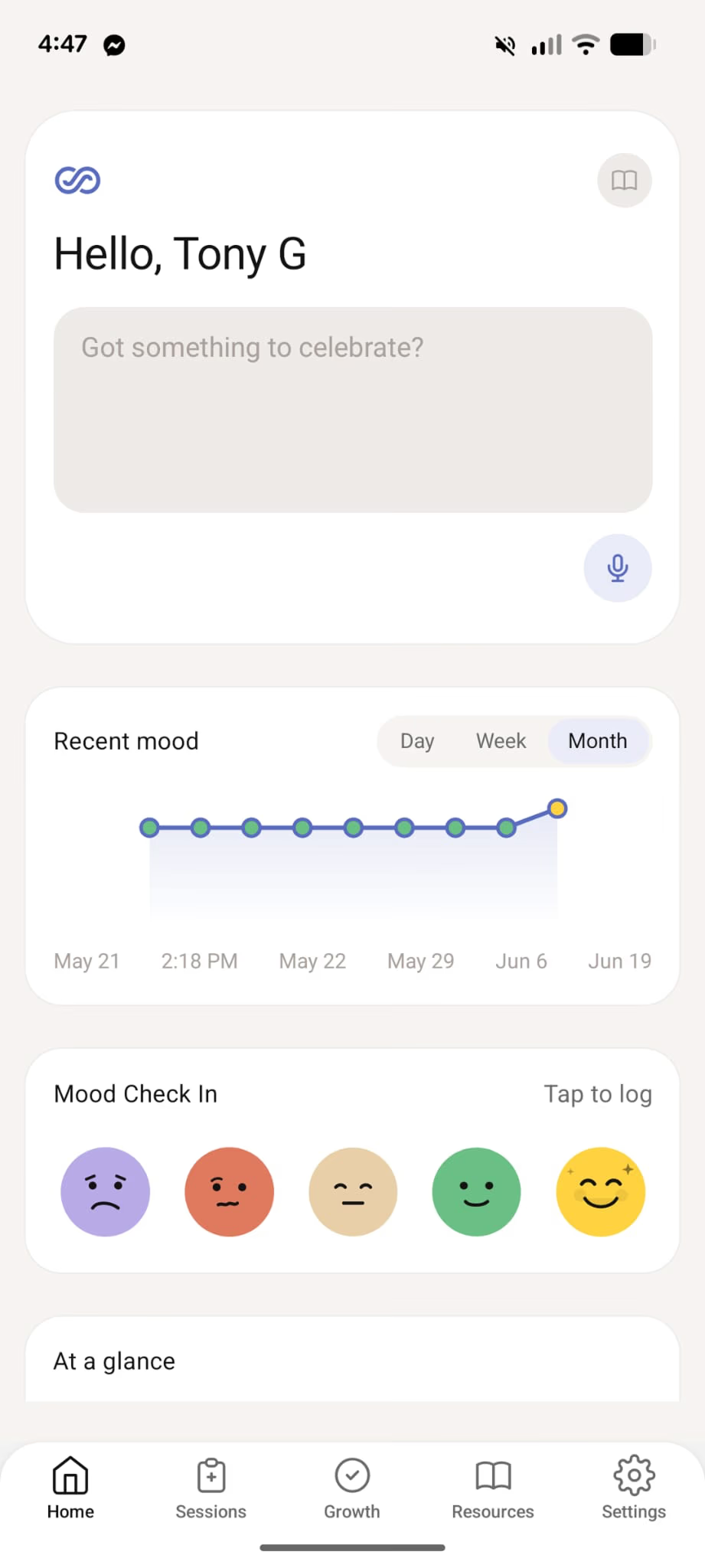
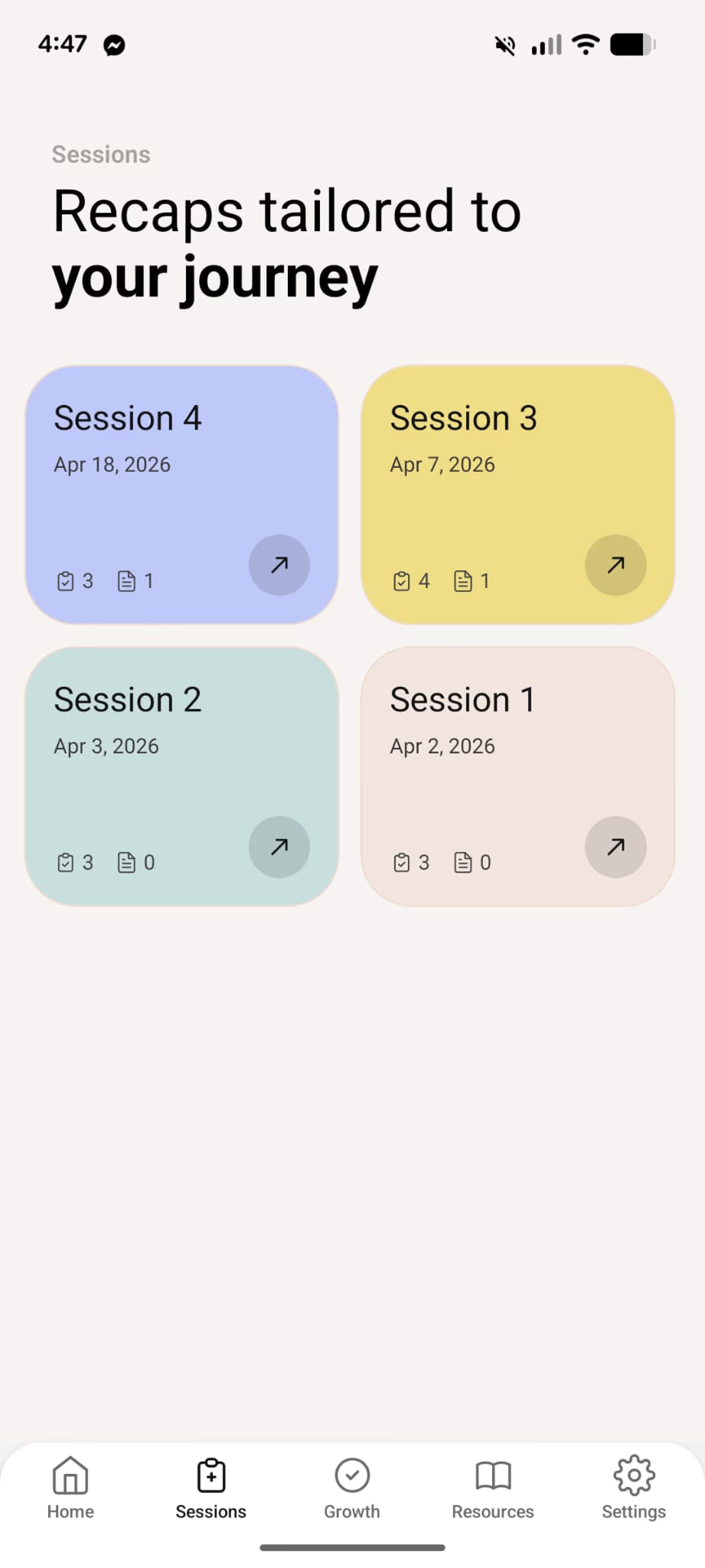
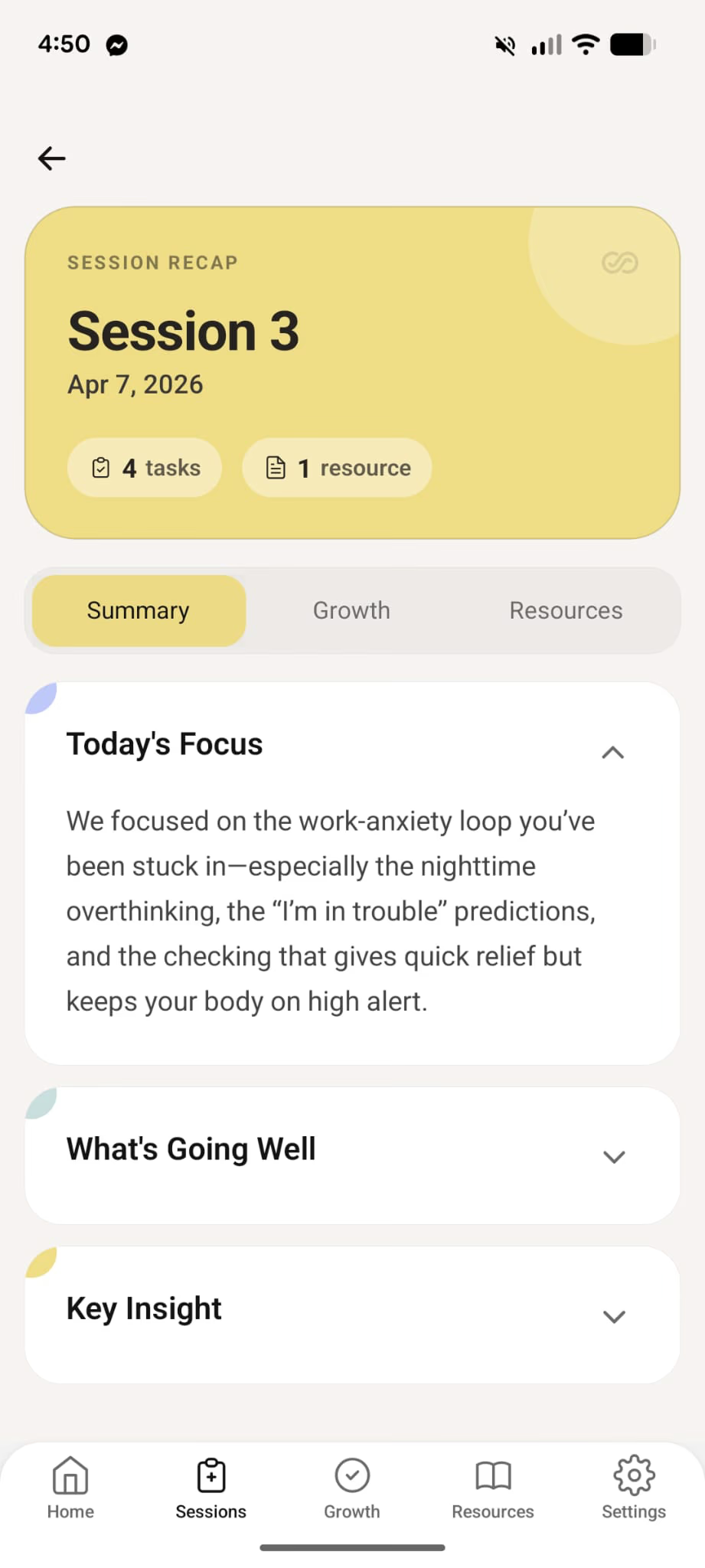
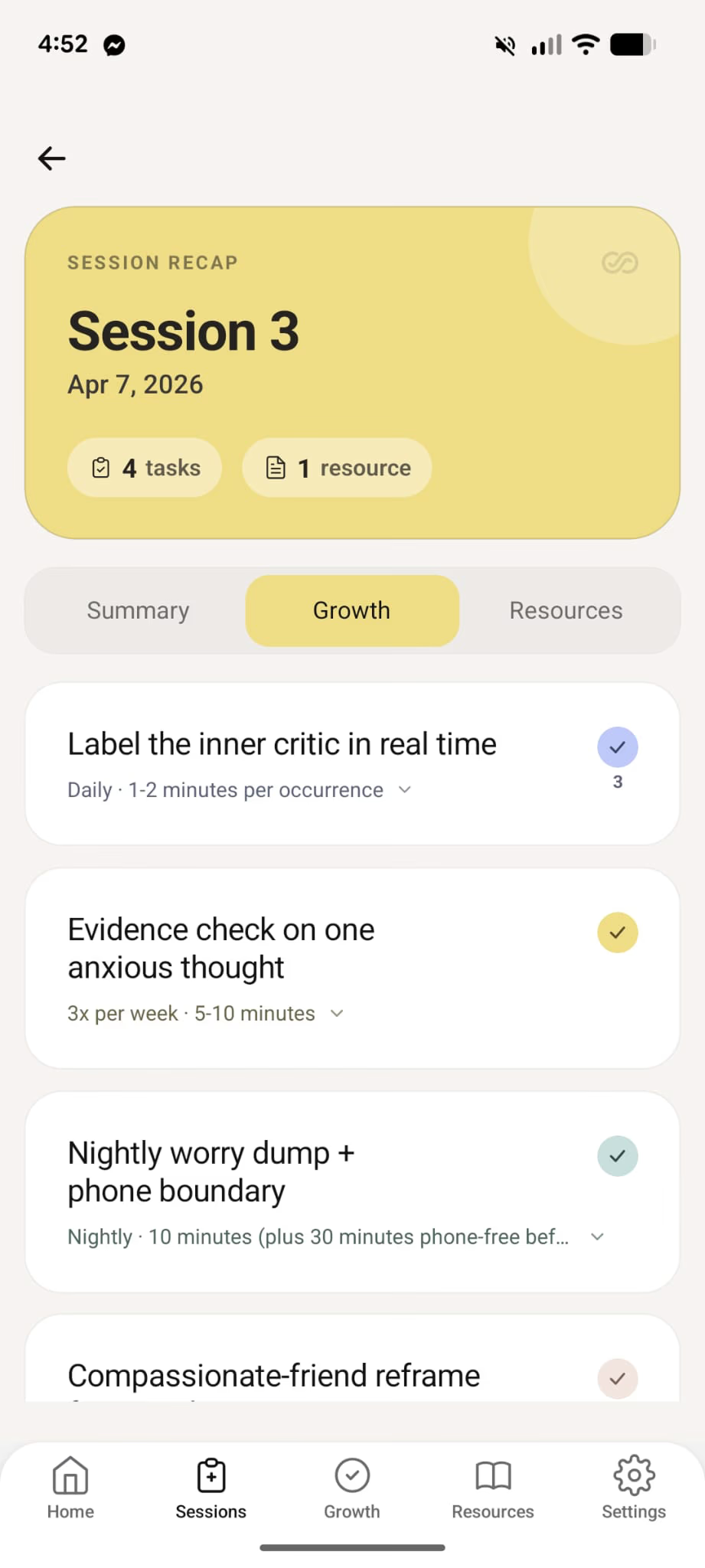
InterSession splits session work into documentation for you and follow-up clients can use before the next appointment. Review both before anything is saved or shared.
Each week, with follow-up and documentation generated from the same transcript.
Calculate your ROIThree steps after each session. Transcribe once, approve your clinical note, then send client follow-up when you are ready.
Capture in-person or telehealth audio in your browser. InterSession transcribes it, then deletes the audio.
Pick your modality template. InterSession drafts the sections you need. You edit and approve before saving.
Generate a client guide with summary, growth tasks, and resources. Share by email, PDF, or the client app when you are ready.
Short answers on modalities, Medicare documentation, review workflows, and client sharing.
Ready when you are
Start a free trial. Record a session, review your notes and client guide, and see what after hours look like when documentation is already drafted.